
Nobody writes a perfect first draft. Even skilled writers miss a misplaced comma, an awkward tense shift, or a typo hiding in plain sight. That’s exactly why grammar check tools exist — to catch what your eyes skip over and help your writing come across clearly, correctly, and professionally.
This guide covers everything you need to know about grammar checking: what it actually does, how it differs from proofreading, which tools are worth using, and how to get the most out of them whether you’re a student, a professional, or an English learner.
What is Grammar Check?
A grammar check is a process — often powered by software — that scans written text for grammar mistakes, spelling errors, punctuation issues, and sometimes style problems. It highlights errors and suggests corrections so you can fix them quickly.
At its core, grammar checking answers a simple question: does this sentence follow the rules of English correctly? That includes:
- Subject-verb agreement
- Correct verb tense
- Proper punctuation
- Spelling accuracy
- Sentence structure and clarity
Modern grammar checkers go beyond basic rule-matching. Many now use AI and natural language processing to understand context, which means they can catch errors that older, purely rule-based tools would miss.
Grammar Check at a Glance
| Feature | What It Does |
| Spelling correction | Flags misspelled words and typos |
| Grammar correction | Fixes tense, agreement, and structural errors |
| Punctuation checks | Detects missing or misused commas, periods, etc. |
| Style suggestions | Improves clarity, tone, and word choice |
| Plagiarism detection | Some tools also check text originality |
Why Use a Grammar Check?
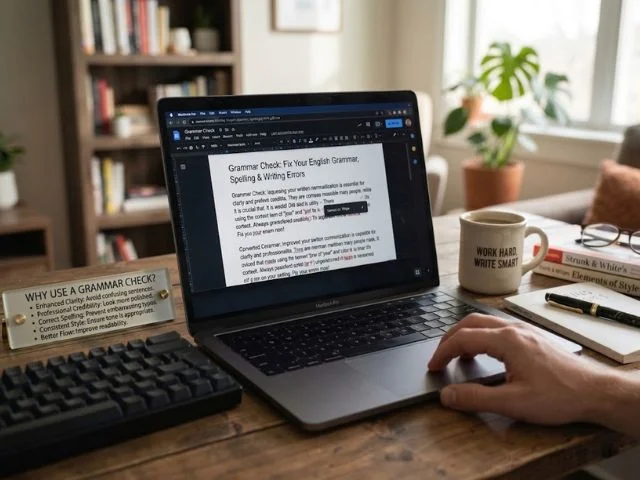
Good ideas can get lost behind sloppy writing. A single grammar mistake in an email, essay, or resume can shift how a reader perceives your credibility — even if the content itself is strong.
Here’s why grammar checking matters:
- It saves time. Instead of manually re-reading every line, a grammar checker flags issues instantly.
- It builds confidence. Knowing your writing is error-free lets you focus on ideas, not anxiety over mistakes.
- It improves learning. Many tools explain why something is wrong, helping you avoid repeating the same mistake.
- It protects your reputation. Clean writing matters in academic, professional, and public communication.
- It catches what you can’t see. After reading your own writing multiple times, your brain starts autocorrecting errors on its own — a fresh, automated check catches what you no longer notice.
How Grammar Check Works
Most grammar checkers follow a similar process behind the scenes, even if the underlying technology varies in sophistication. Text scanning — The tool analyzes your writing word by word and sentence by sentence.
Rule
matching — It compares your sentence structures against established grammar rules.
Context analysis — Advanced tools use AI to understand meaning, not just structure, which helps catch context-based errors (like using “their” instead of “there”).
Error flagging — Mistakes are highlighted, usually with color coding for different error types.
Rule-Based vs. AI-Based Checking
| Type | How It Works | Strengths |
| Rule-based | Matches text against fixed grammar rules | Fast, consistent for clear-cut errors |
| AI-based | Uses language models to understand context | Better at catching nuanced or context-dependent mistakes |
Most modern tools combine both approaches for more accurate results.
Click Here To Read More
Grammar Check vs Proofreading
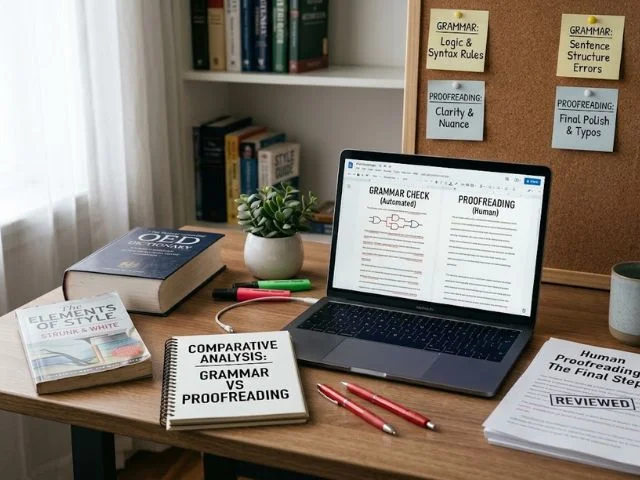
These two terms get used interchangeably, but they’re not quite the same thing.
- Grammar check focuses specifically on grammar, spelling, and punctuation — the mechanical correctness of your writing.
- Proofreading is a broader, final-stage review that also considers formatting, consistency, tone, and overall polish.
| Aspect | Grammar Check | Proofreading |
| Focus | Grammar, spelling, punctuation | Overall accuracy and polish |
| Method | Often automated | Can be manual or automated |
| Scope | Sentence-level | Document-level |
| Best used | While writing or right after | As a final step before submission |
Think of grammar checking as one tool within the larger proofreading process — useful, but not a complete substitute for a full review.
Best Free Grammar Check Tools
There are several well-known free grammar checking tools available online, each with slightly different strengths.
- Grammarly — Widely used for real-time suggestions on grammar, spelling, and clarity, with browser and app integrations.
- QuillBot Grammar Checker — Combines grammar checking with paraphrasing and rewriting tools.
- Ginger Software — Offers sentence-level rephrasing along with standard grammar corrections.
- ProWritingAid — Known for deeper style and structure analysis, popular with long-form writers.
- Reverso — Useful for grammar checking alongside translation features.
- Scribens — A straightforward free checker that explains the reasoning behind each correction.
Comparing Free Grammar Checkers
| Tool | Best For | Notable Feature |
| Grammarly | General everyday writing | Real-time suggestions across platforms |
| QuillBot | Students and rewriting | Built-in paraphrasing tool |
| Ginger | Sentence rephrasing | Rewrite suggestions beyond grammar |
| ProWritingAid | Long-form and creative writing | In-depth style reports |
| Reverso | Multilingual writers | Grammar check plus translation |
| Scribens | Simple, transparent corrections | Clear explanations for each fix |
Most of these tools offer a free tier that covers the basics, with paid plans unlocking deeper style, tone, and plagiarism features.
Key Features of a Grammar Checker
Not all grammar checkers are built the same, but the strongest tools typically share these core features:
- Real-time error detection as you type
- Context-aware corrections, not just rule-based flags
- Explanations for each error, helping you learn over time
- Tone and clarity suggestions beyond basic grammar
- Cross-platform support (browser extensions, Word, Google Docs, mobile apps)
- Multiple English variants (US, UK, Australian, Canadian)
Why Explanations Matter
A tool that simply corrects an error without explaining it teaches you nothing. The best grammar checkers show why a sentence was flagged — for example, explaining that “its” is possessive while “it’s” is a contraction — so you gradually make fewer mistakes over time instead of relying on the tool indefinitely.
How Grammar Check Fixes Errors
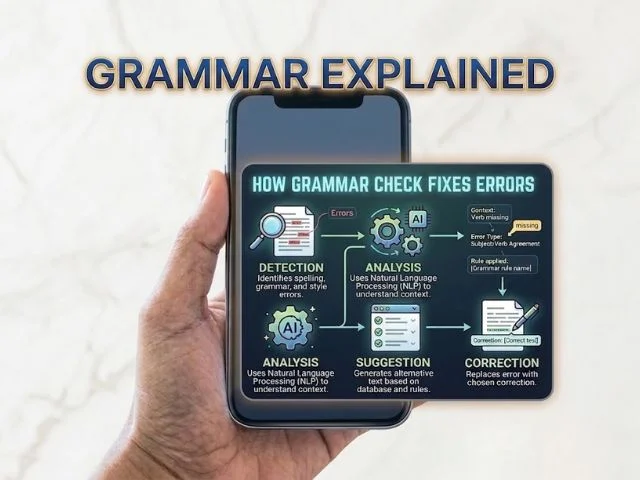
Once an error is detected, most tools follow a simple correction flow:
- The error is underlined or highlighted directly in your text.
- Hovering or clicking reveals the issue and a suggested fix.
- You choose to accept, modify, or ignore the suggestion.
- Some tools also offer a short explanation of the grammar rule involved.
This interactive process means you stay in control of your writing — the tool suggests, but you decide what fits your intended meaning and tone.
Common Mistakes Grammar Check Fixes
Grammar checkers are especially good at catching the errors that slip past casual proofreading. Some of the most common include:
- Subject-verb agreement errors — “The list of items are long” → “The list of items is long”
- Incorrect verb tense — “I seen him yesterday” → “I saw him yesterday”
- Misused apostrophes — “Its raining” → “It’s raining”
- Run-on sentences and comma splices
- Homophone confusion — their/there/they’re, your/you’re, affect/effect
- Missing or extra commas
- Double negatives
- Sentence fragments
| Error Type | Example Fix |
| Agreement | “She go to school” → “She goes to school” |
| Tense | “I have went” → “I have gone” |
| Homophones | “Your welcome” → “You’re welcome” |
| Punctuation | “Lets eat grandma” → “Let’s eat, grandma” |
| Fragments | “Because I was late.” → “I missed the bus because I was late.” |
Grammar Check for Students
For students, grammar checking isn’t just about avoiding red pen marks — it directly affects grades, clarity, and how well ideas come across in essays and assignments.
Benefits for students include:
- Catching errors before submission deadlines
- Learning grammar rules through repeated exposure to explanations
- Improving essay clarity and academic tone
- Reducing time spent on manual proofreading
- Building better writing habits over time
Tips for Students Using Grammar Check Tools
- Don’t just accept every suggestion blindly — understand why it’s being suggested.
- Use grammar checkers alongside, not instead of, learning grammar rules directly.
- Run a check after finishing a draft, not only at the very end.
- Pay attention to repeated error types — they reveal your personal weak spots.
Grammar Check for English Learners
For non-native English speakers, grammar checkers can be an especially valuable learning tool, not just a correction tool.
- They highlight patterns learners often struggle with, like article usage (“a,” “an,” “the”) or preposition choice.
- They provide instant feedback, which reinforces correct usage faster than delayed corrections.
- Many tools support multiple English variants, helping learners understand regional differences.
- Repeated exposure to the same corrections helps build long-term grammar intuition.
Common Challenges Grammar Check Helps With
| Challenge | How Grammar Check Helps |
| Article usage (a/an/the) | Flags missing or incorrect articles |
| Preposition errors | Suggests correct preposition choices |
| Word order | Highlights unnatural sentence structure |
| Verb tense consistency | Points out mismatched tenses within a passage |
Free vs Paid Grammar Check
Most grammar checking tools offer both free and paid versions, and understanding the difference helps you choose the right one for your needs.
| Feature | Free Version | Paid Version |
| Basic grammar & spelling checks | Included | Included |
| Punctuation checks | Included | Included |
| Advanced style suggestions | Limited or none | Included |
| Tone detection | Rarely included | Often included |
| Plagiarism checking | Rarely included | Often included |
| Multiple document uploads | Limited | Usually unlimited |
Free versions work well for everyday writing, casual emails, and basic proofreading needs. Paid versions are worth considering for professionals, researchers, or writers who need deeper style analysis, tone adjustment, or regular plagiarism checks.
Limitations of Grammar Check
As helpful as these tools are, they’re not perfect — and knowing their limitations helps you use them wisely.
- Context misses — Automated tools can misinterpret intentional style choices as errors.
- Overcorrection — Some suggestions may change meaning or tone in ways you didn’t intend.
- Creative writing conflicts — Poetic or stylistic sentence fragments may get flagged even when they’re intentional.
- Not a replacement for human judgment — Tools catch mechanical errors, but they can’t fully assess logic, argument strength, or nuanced meaning.
- Inconsistent accuracy — Free tools, in particular, may miss subtler context-based mistakes.
Because of these limitations, it’s best to treat grammar checkers as a helpful first pass — not the final word on your writing.
FAQs
What is the best free grammar checker?
Grammarly and QuillBot are among the most popular free options, offering solid grammar, spelling, and clarity checks.
Can grammar check replace proofreading?
No, grammar check handles mechanical errors, while proofreading also reviews tone, formatting, and overall consistency.
Do grammar checkers work for non-native English speakers?
Yes, they’re especially useful for learners, helping with article usage, prepositions, and sentence structure.
Is a free grammar checker accurate enough for schoolwork?
Free tools handle most common errors well, though a final manual review is still recommended for important assignments.
Can grammar check tools fix plagiarism?
Only some tools include plagiarism detection, usually as part of a paid plan rather than the free version.
Should I always accept grammar checker suggestions?
Not always — review each suggestion to make sure it fits your intended meaning and tone before accepting it.
Conclusion
Grammar checking has become an essential part of modern writing, whether you’re a student polishing an essay, a professional sending an important email, or an English learner building fluency one sentence at a time. These tools won’t replace genuine knowledge of grammar, but they make the writing process faster, cleaner, and far less stressful.
The best approach is simple: use a grammar checker as your first line of defense, understand the corrections it offers rather than blindly accepting them, and follow up with a manual review of anything important. Over time, this habit doesn’t just fix your writing — it makes you a noticeably stronger writer
